Description
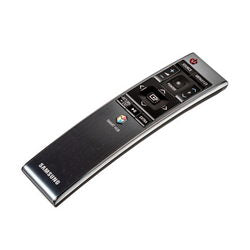
Smart TV Remote Control for Samsung ● Compatible with Smart Series TVs ● With 2.4GHz Motion Function | Manufacturer Code: BN59-01220D
Parameters:
Manufacturer: Samsung
Distance: up to 8 meters
Number of batteries: 2
Chip: TC9012
Power supply: AA batteries
System code: 0707
Color: black
Fits models
BN59-01220A BN59-01220M RMCTPJ1AP UE32J6300 UE32J6300AUX UE40J6300AUX UE48J6300A UE48J6300AU UE48J6300AUX UE48JS9000T UE55J6300 UE55J6300AU UE55J6300AUX UE55JS8500 UE55JS9000T UE60J6300 UE60J6300AUX UE65JS8500 UE65JS9000T UE65JS9500 UE78JS9500 UE88JS9500 UN55JU6700, BN59-01220E BN59-01220G BN59-01221J BN59-01220A RMCTPJ1AP2
BN-1220 User Manual
Pairing the Smart Remote Control
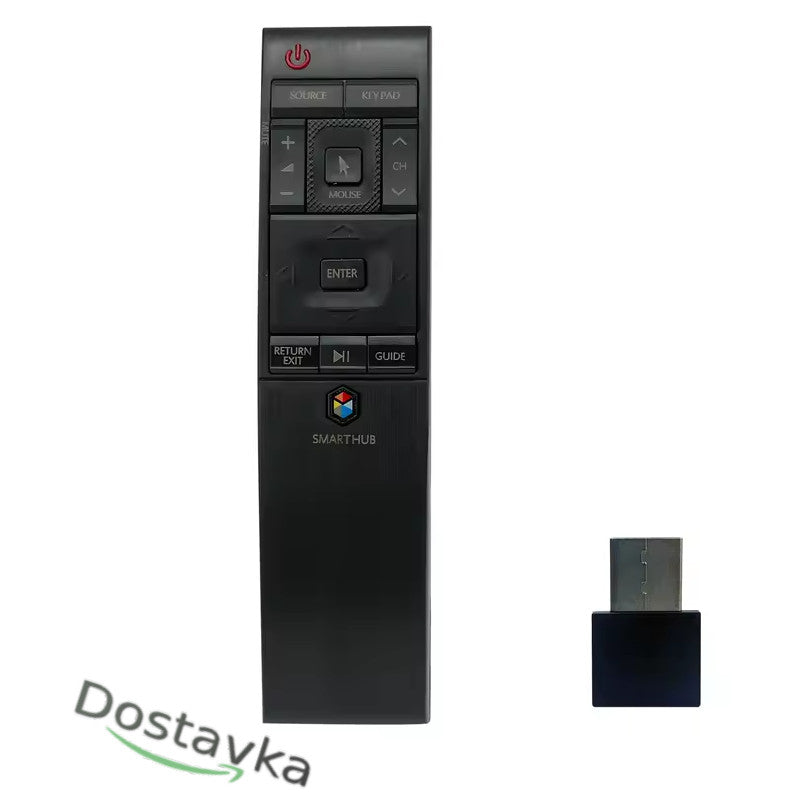
- Connect the USB receiver to the USB port of the TV. The connection image will appear on the screen.
- Press the RETURN and GUIDE buttons simultaneously and hold them for at least 3 seconds until the LED lights up.
- Point the remote control at the USB receiver until the LED flashes 3 times and turns off. **If there is no response after connecting the USB port, try other USB ports. Using the pointer Once the pairing process is complete, the on-screen cursor will move with the remote control. Press the button to hide the on-screen pointer. Press again to bring back the pointer. **If the pointer has not been used for a certain period of time, it will disappear. Tips **The Smart Remote can only be connected to one TV at a time. **The Smart Remote's batteries drain faster than those of a regular remote because of the additional functions.
- Functions of the POWER buttons:
Press to turn the TV on and off.
POINTER LOCK: Tap to hide and bring back the pointer. KEYBOARD ADVANCED: Tap to display additional features.
SOURCE SOURCE: Displays and selects available video sources.
CONTROL BUTTON: Moves the focus and changes the values displayed in the TV menu.
ENTER: Press to select and run the highlighted item. When pressed while watching a program, it displays detailed information about the program. Pressing again selects and runs the displayed functions. RETURN RETURN/BACK: Returns to the previous menu. Ends the running function if the button is pressed for more than 1 second. Returns to the previous channel if you are watching a program. ►PLAY/PAUSE: Press to display the playback controls.
SMART HUB: Return to the main screen.
VOL: Adjust the volume.
MUTE MUTE: Mute the sound.
CH: Change the channel.
GUIDE GUIDE: Open the guide screen.


-
Samsung TV Remote control BN59-01221B BN59-01220D TM1580
Regular price €29.92 EURRegular price